There is no link between the two plugins used: Newsletters, which allows for the creation of newsletters, and Mailsubscribers, which manages registrations (or subscriptions) for the distribution of content via email.
There is a distinction between the language of a newsletter and the language of a specific segment of recipients—those registered or subscribed to a given mailing list (ML).
The options displayed in the registration form used by Mailsubscribers (activated via  ) do not represent subscriptions to a specific newsletter, but rather the mailing lists that have been made public (i.e., those with an “open” status).
A mailing list that lacks language-specific segments remains visible—in the language in which it was written—regardless of which languages are enabled on the site.
If a mailing list contains multiple language segments, multilingual tags should be applied to the content of its “Public Title” and “Help Tooltip.”
A newsletter intended for a multilingual mailing list should reflect the multilingual content of that list; this helps both visitors and recipients make informed decisions regarding whether to unsubscribe or re-subscribe.
“Open” mailing lists—those visible within the selection block—should allow users to choose from (or combine) the following criteria:
Area of interest = based on the WHERE parameter within the site structure (the entire site or a specific section).
Section (and its sub-branches) = corresponding to WHO or “what” the content is about.
Frequency / WHEN.
Language of use / HOW = e.g., FR, DE, IT, EN—indicating segments for languages other than the site’s primary language. A person who has selected Italian as their browsing language is added to the Italian segment of the chosen mailing list.
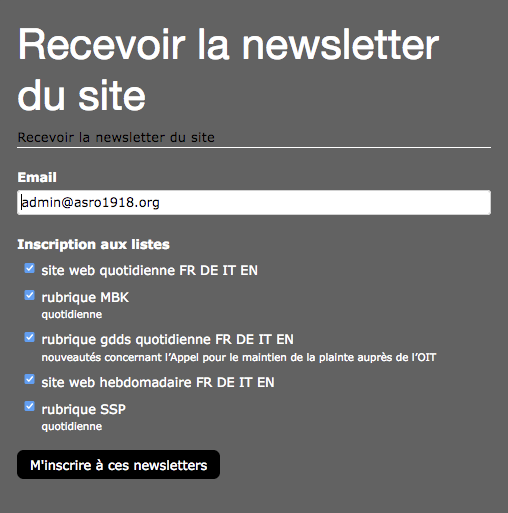
ASRO structures mailing list names as follows:
Public title: site + frequency (daily / weekly / monthly / yearly) + acronyms for available languages
Public title: sectionName (no language acronym = the site’s default language, i.e., French/FR)
Tooltip: frequency (daily / weekly / monthly / yearly)
Public title: sectionName > subSectionName (to exclude new items published above the most recent one)
Tooltip: frequency (daily / weekly / monthly / yearly)
ASRO structures newsletter names in relation to mailing lists as follows:
site + frequency + multi + FR DE IT EN
ASRO section > association communications
Tooltip: frequency (daily / weekly / monthly / yearly)
SSP section
Tooltip: frequency (daily / weekly / monthly / yearly)
MBK section
Tooltip: frequency (daily / weekly / monthly / yearly)
In summary:
- users can subscribe to one or more mailing lists (ML)
- users can belong to a specific language segment within a mailing list (ML)
- each mailing list can serve as the recipient list for a newsletter (NL)
- the distribution of a newsletter (NL) can be restricted to a specific segment of a mailing list (ML)
- and a newsletter (NL) can be assigned a specific language
Organization EXAMPLE
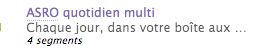
Start by determining the root of the mailing list (ML) label—optionally including a designator; if multilingual, add the suffix « multi ». In the example below, the public title is labeled « ASRO Daily multi » because this ML comprises four language segments.
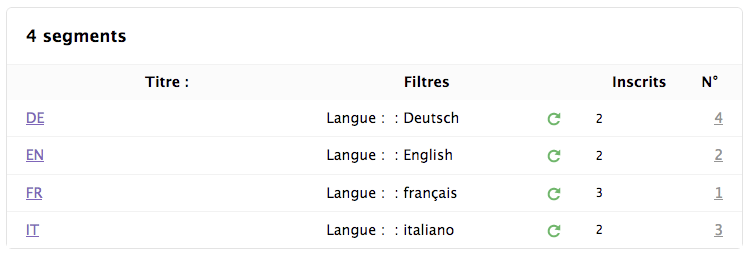
The labeling of mailing list segments begins with the language acronym in use, followed—where applicable—by the root of the mailing list and the translated designator.
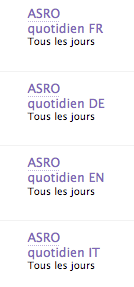
The label name for a newsletter (NL) corresponds to the ML root and its designator + the suffix of the selected language acronym; for French, the title is labeled as follows (given that the list (LD) has four segments): « ASRO Daily FR ».